We’re so happy to have launched our SP_CE Notifications. You can now get notified when participants join your space, when new resources are added, when you’ve been assigned a to-do and when you have unread chat messages. We’ll walk you through how it works.
Control Notifications
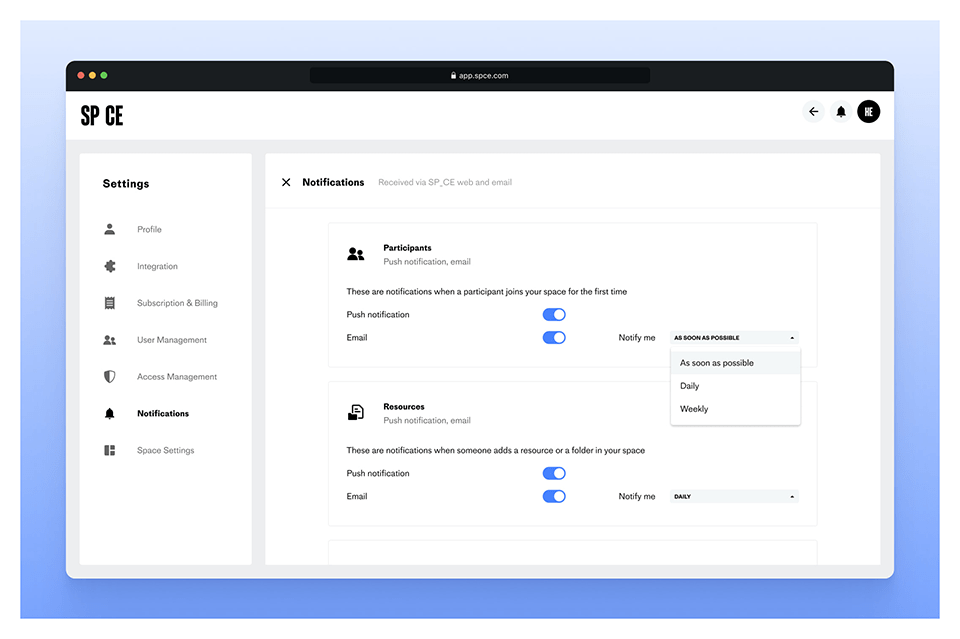
What’s the right number of notifications? We figured that the best person to answer that is you, so we’ve made it possible to control what notifications you get – and how. Just head to your Notifications Settings, and choose whether to get push notifications, emails, or both. You can even decide how often the emails should go out.
See your notifications in real time
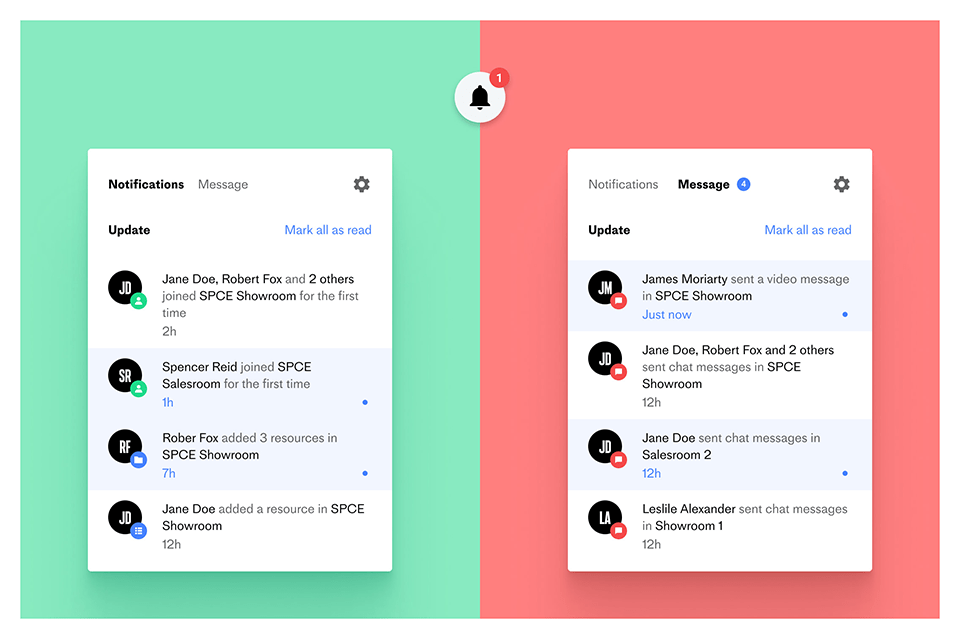
There’s now a bell icon in the upper right corner of SP_CE. You can always click that icon to see your latest notifications and chat messages, and go straight to the space where things are happening. There’s even a little red indicator that shows how many unseen notifications you have – so that you can get an idea of how much has happened since you last logged in.
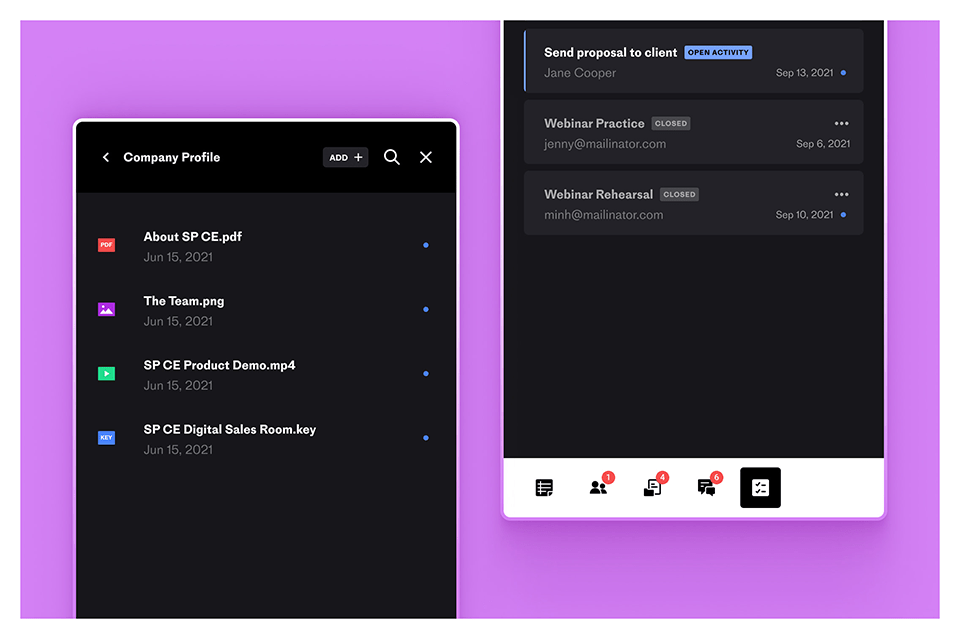
Get notified in space
Remember the red indicator from the last section? We’ve added that one to your space options as well, and you can now quickly see where there’s an update to check out. We’ve also added little blue dots to pinpoint exact updates, like when a new resource has been added. Which you can see visualized in the image to your left.